In this example, we’ll implement prediction intervals
Prerequisites This tutorial assumes basic familiarity with StatsForecast. For a minimal example visit the Quick Start
Introduction
When we generate a forecast, we usually produce a single value known as the point forecast. This value, however, doesn’t tell us anything about the uncertainty associated with the forecast. To have a measure of this uncertainty, we need prediction intervals. A prediction interval is a range of values that the forecast can take with a given probability. Hence, a 95% prediction interval should contain a range of values that include the actual future value with probability 95%. Probabilistic forecasting aims to generate the full forecast distribution. Point forecasting, on the other hand, usually returns the mean or the median or said distribution. However, in real-world scenarios, it is better to forecast not only the most probable future outcome, but many alternative outcomes as well. StatsForecast has many models that can generate point forecasts. It also has probabilistic models than generate the same point forecasts and their prediction intervals. These models are stochastic data generating processes that can produce entire forecast distributions. By the end of this tutorial, you’ll have a good understanding of the probabilistic models available in StatsForecast and will be able to use them to generate point forecasts and prediction intervals. Furthermore, you’ll also learn how to generate plots with the historical data, the point forecasts, and the prediction intervals.Important Although the terms are often confused, prediction intervals are not the same as confidence intervals.
Warning In practice, most prediction intervals are too narrow since models do not account for all sources of uncertainty. A discussion about this can be found here.Outline:
- Install libraries
- Load and explore the data
- Train models
- Plot prediction intervals
Tip You can use Colab to run this Notebook interactively
Install libraries
We assume that you have StatsForecast already installed. If not, check this guide for instructions on how to install StatsForecast Install the necessary packages usingpip install statsforecast
Load and explore the data
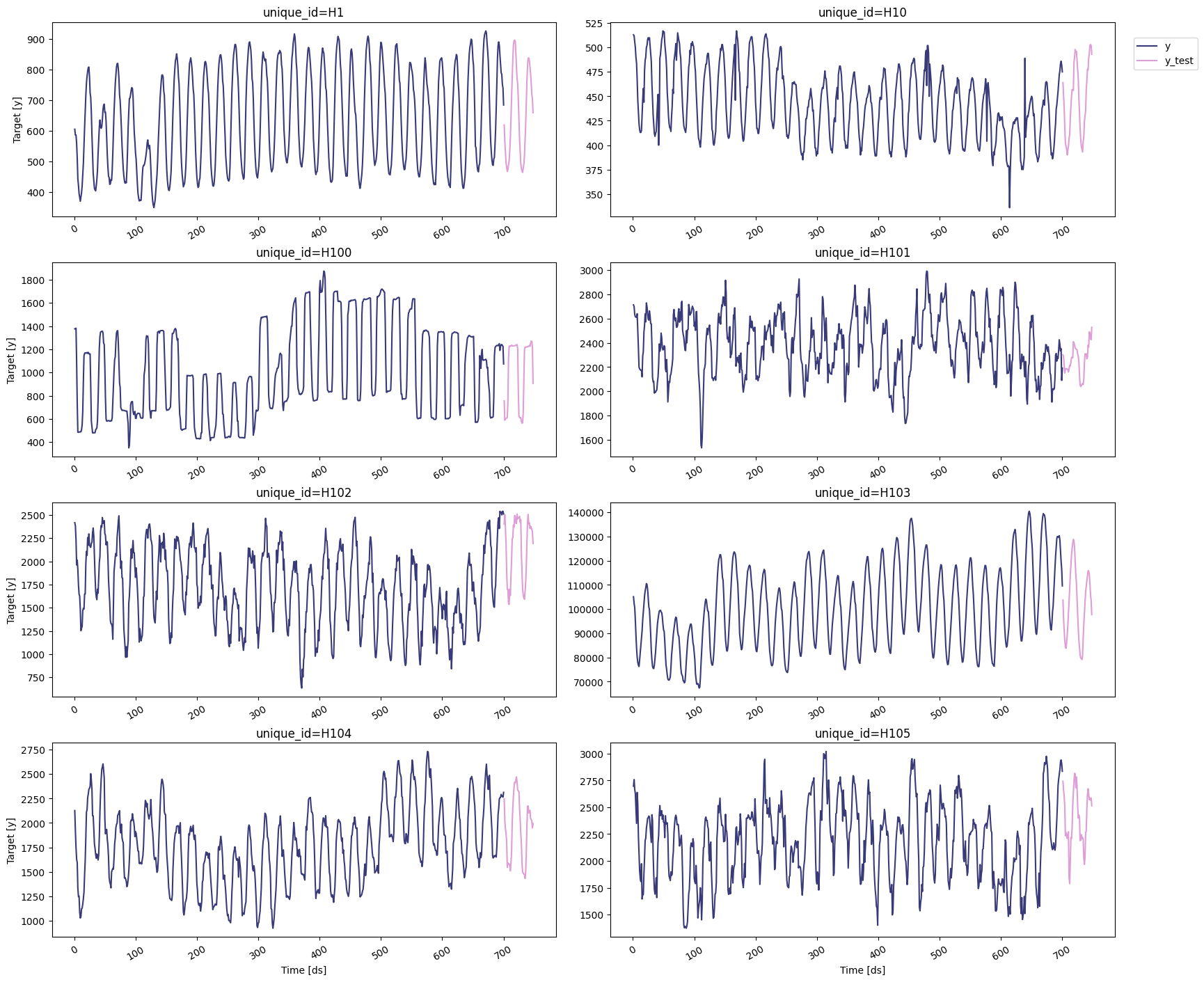
For this example, we’ll use the hourly dataset from the M4 Competition. We first need to download the data from a URL and then load it as apandas dataframe. Notice that we’ll load the train and the test data
separately. We’ll also rename the y column of the test data as
y_test.
Since the goal of this notebook is to generate prediction intervals,
we’ll only use the first 8 series of the dataset to reduce the total
computational time.
statsforecast.plot method from the
StatsForecast class. This
method has multiple parameters, and the required ones to generate the
plots in this notebook are explained below.
df: Apandasdataframe with columns [unique_id,ds,y].forecasts_df: Apandasdataframe with columns [unique_id,ds] and models.plot_random: bool =True. Plots the time series randomly.models: List[str]. A list with the models we want to plot.level: List[float]. A list with the prediction intervals we want to plot.engine: str =plotly. It can also bematplotlib.plotlygenerates interactive plots, whilematplotlibgenerates static plots.
Train models
StatsForecast can train multiple models on different time series efficiently. Most of these models can generate a probabilistic forecast, which means that they can produce both point forecasts and prediction intervals. For this example, we’ll use AutoETS and the following baseline models: To use these models, we first need to import them fromstatsforecast.models and then we need to instantiate them. Given that
we’re working with hourly data, we need to set seasonal_length=24 in
the models that requiere this parameter.
df: The dataframe with the training data.models: The list of models defined in the previous step.freq: A string indicating the frequency of the data. See pandas’ available frequencies.n_jobs: An integer that indicates the number of jobs used in parallel processing. Use -1 to select all cores.
forecast method, which takes two
arguments:
h: An integer that represent the forecasting horizon. In this case, we’ll forecast the next 48 hours.level: A list of floats with the confidence levels of the prediction intervals. For example,level=[95]means that the range of values should include the actual future value with probability 95%.
We’ll now merge the forecasts and their prediction intervals with the
test set. This will allow us generate the plots of each probabilistic
model.
Plot prediction intervals
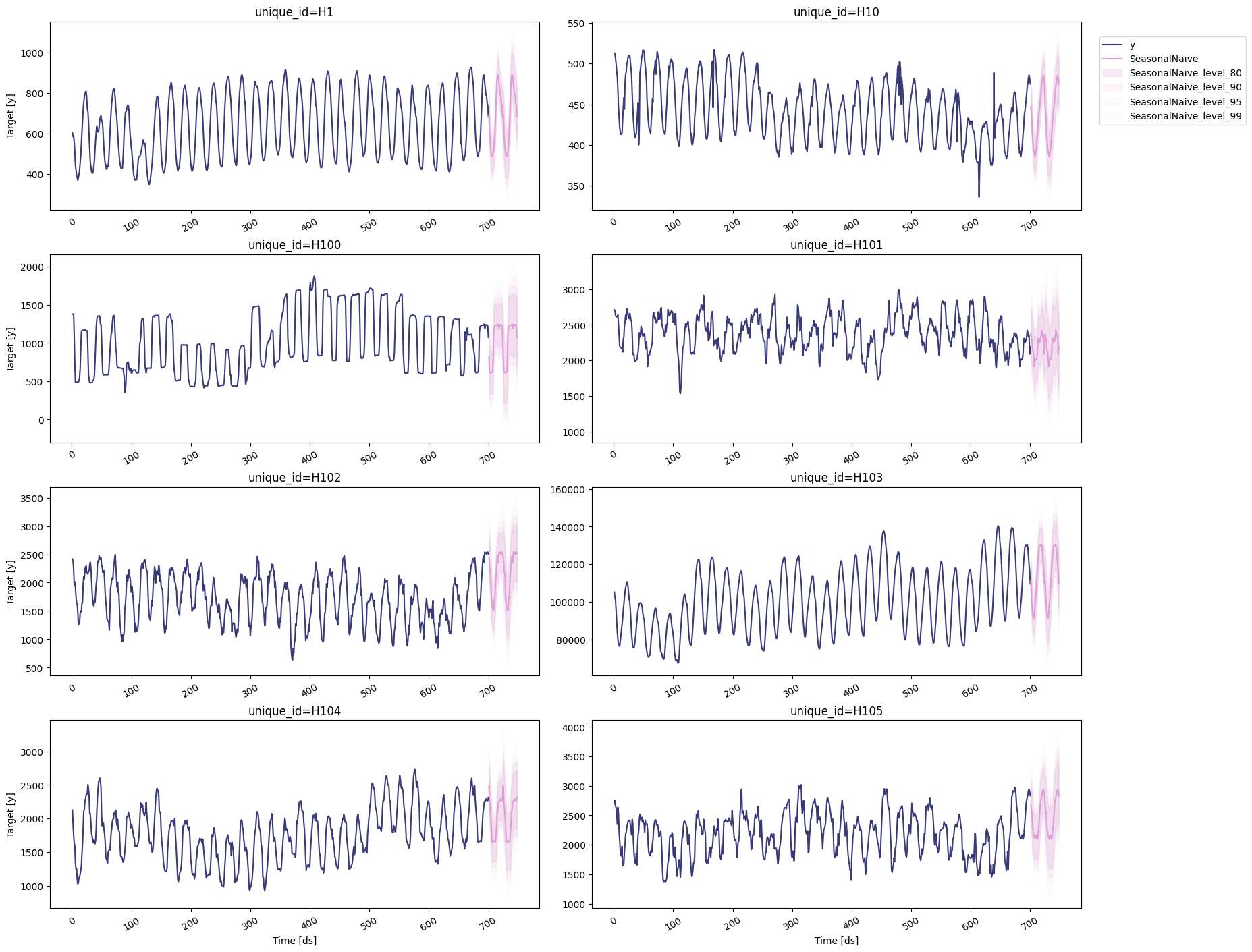
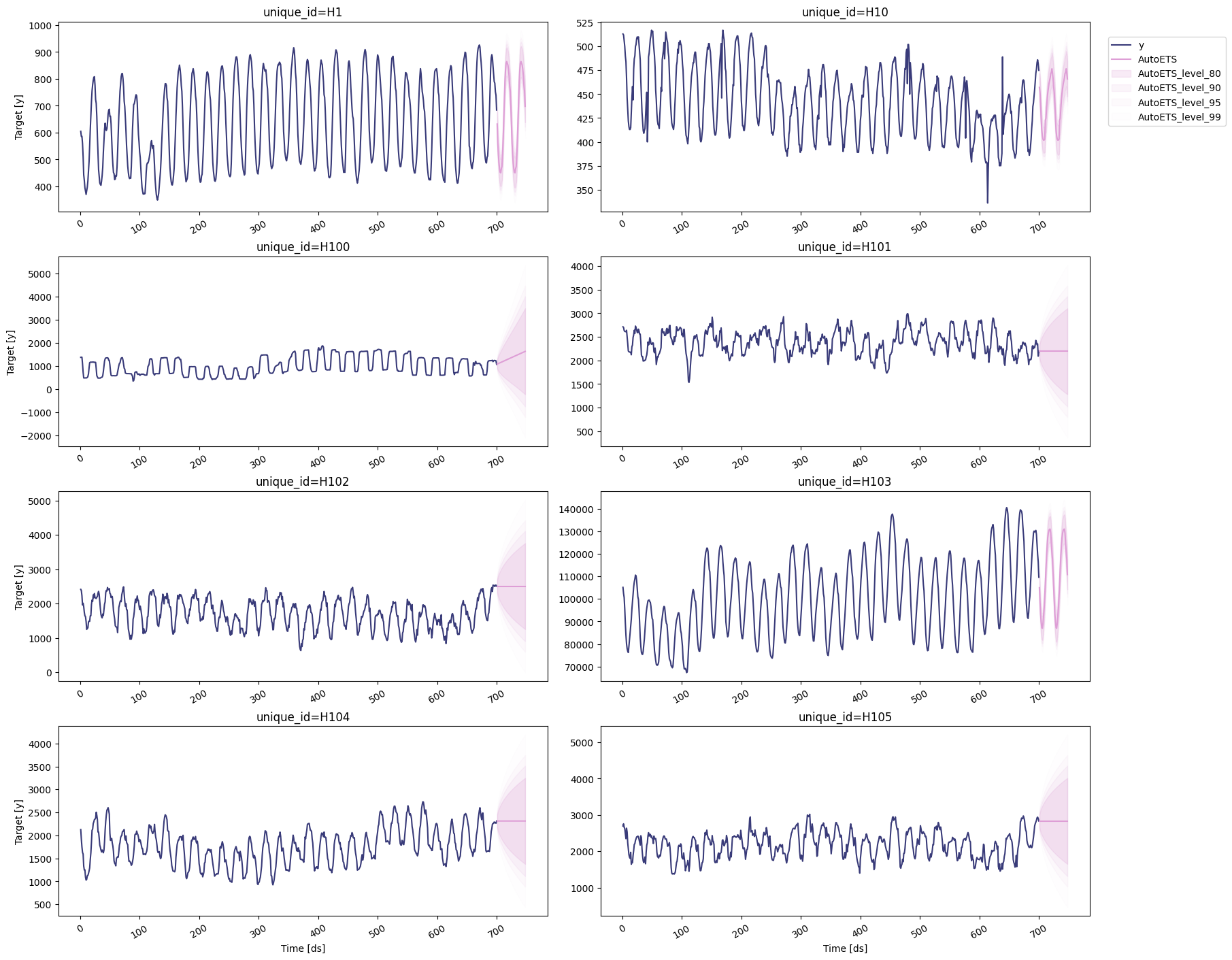
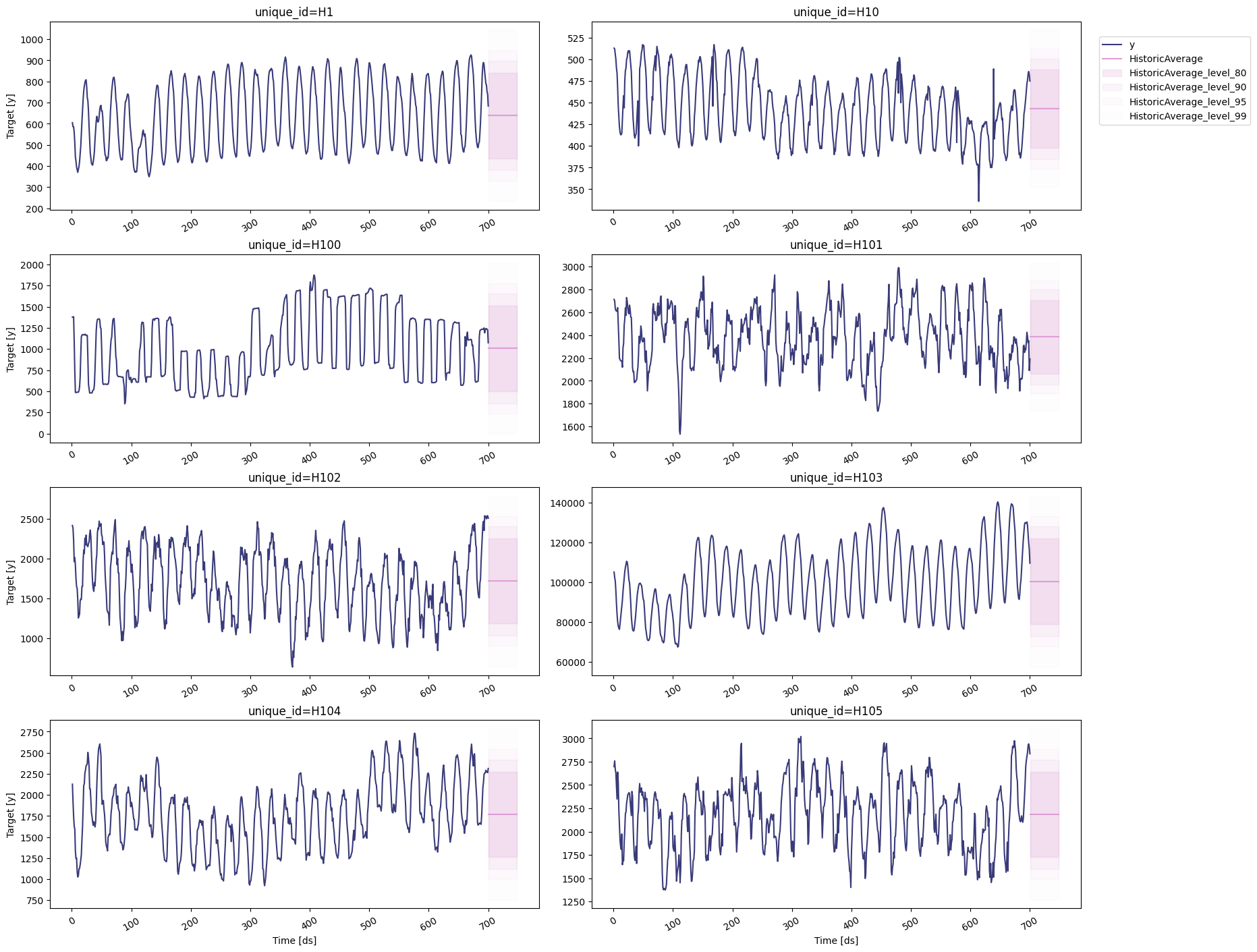
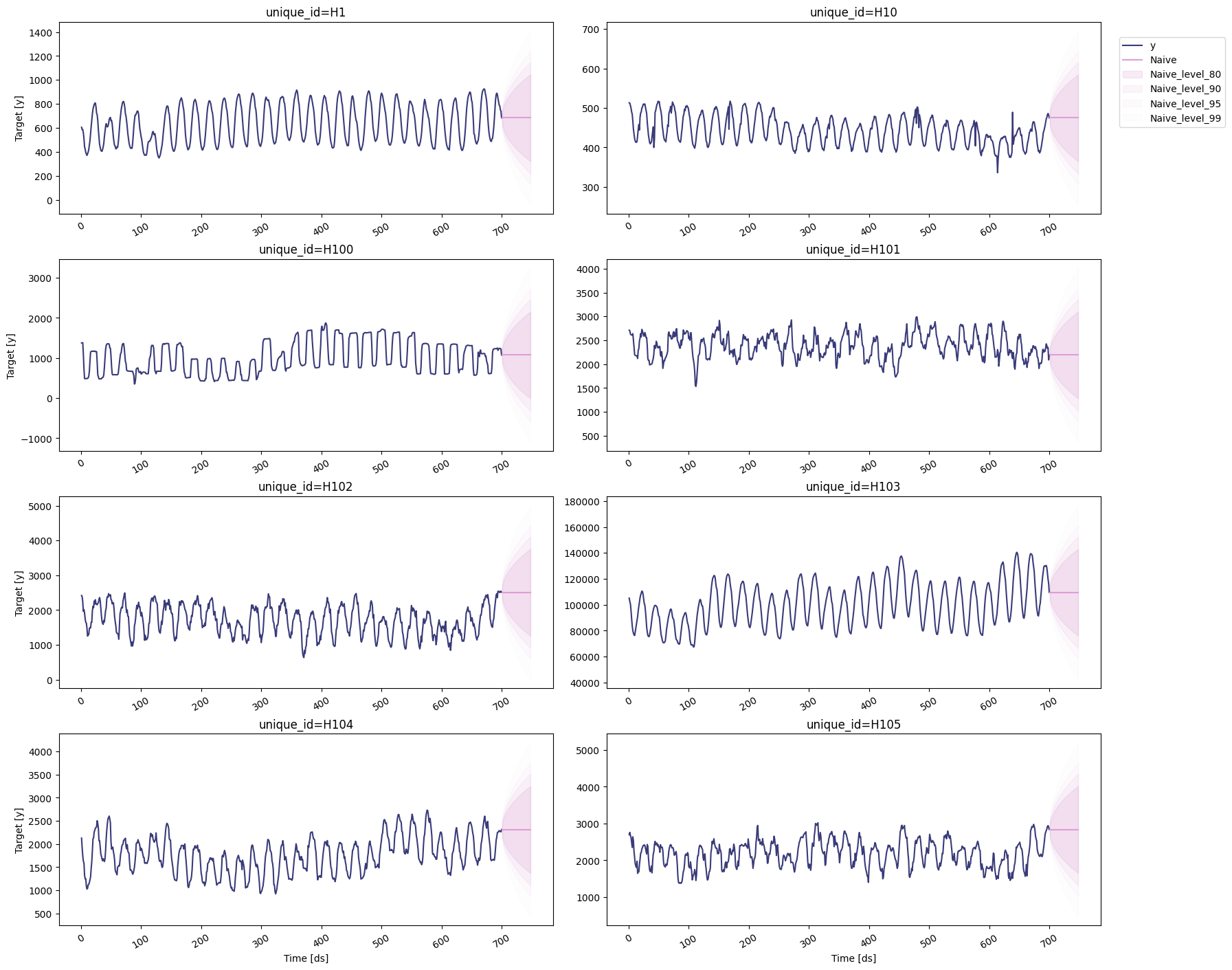
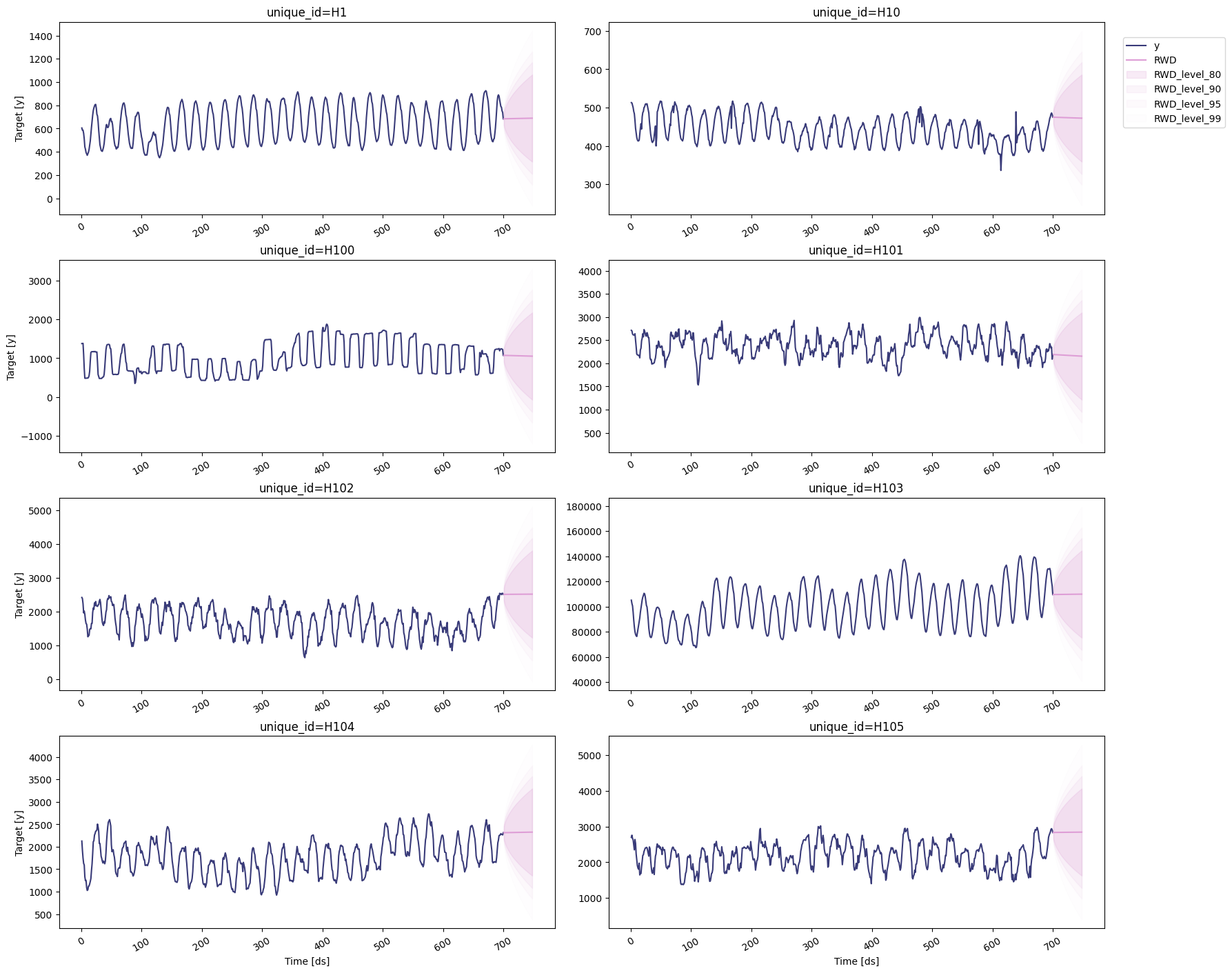
To plot the point and the prediction intervals, we’ll use thestatsforecast.plot method again. Notice that now we also need to
specify the model and the levels that we want to plot.
AutoETS
Historic Average
Naive
Random Walk with Drift
Seasonal Naive